Widen app icon: a folded phone with arrows pointing out to both edges

Widen for iPhone Duo

Fold your Duo and Safari gives up nearly a fifth of the screen. Widen gets it back.

Folded, Safari stacks its buttons in a narrow column by the camera, and every website politely stops before it. That’s 84 points of good glass showing nothing. Widen is a small Safari add-on that lets pictures, maps, tables and page backgrounds run to the edge of the display, while the words stay clear of Safari’s buttons.

Coming soon to theApp Store In beta testing now. Free for a week, then US$3.99 for lifetime access, our launch price.
The page stops at 382 points. The strip beside it shows nothing. Pictures fill all 466 points; the words stay clear of the buttons.
On a real page

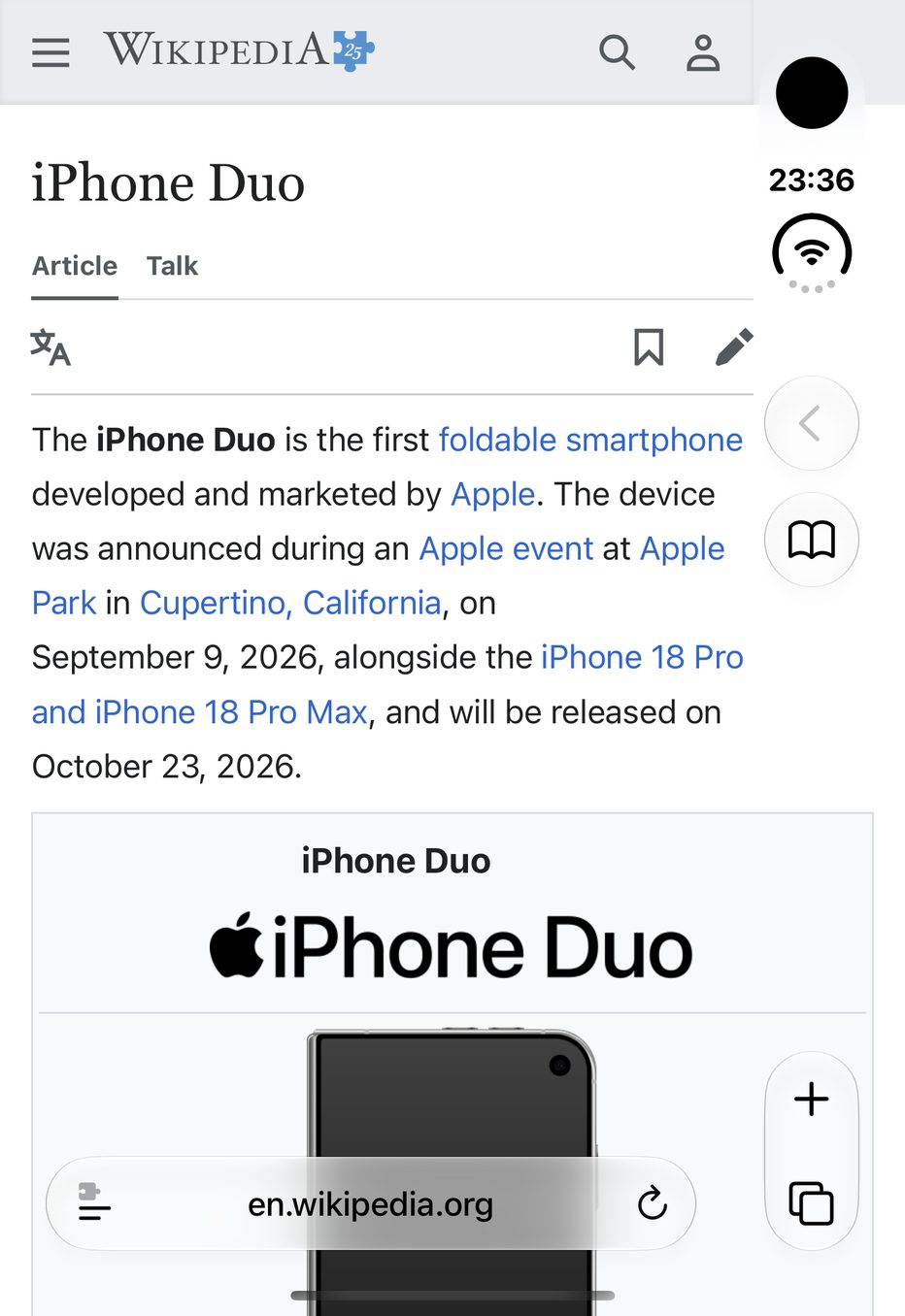
Wikipedia’s iPhone Duo article, folded

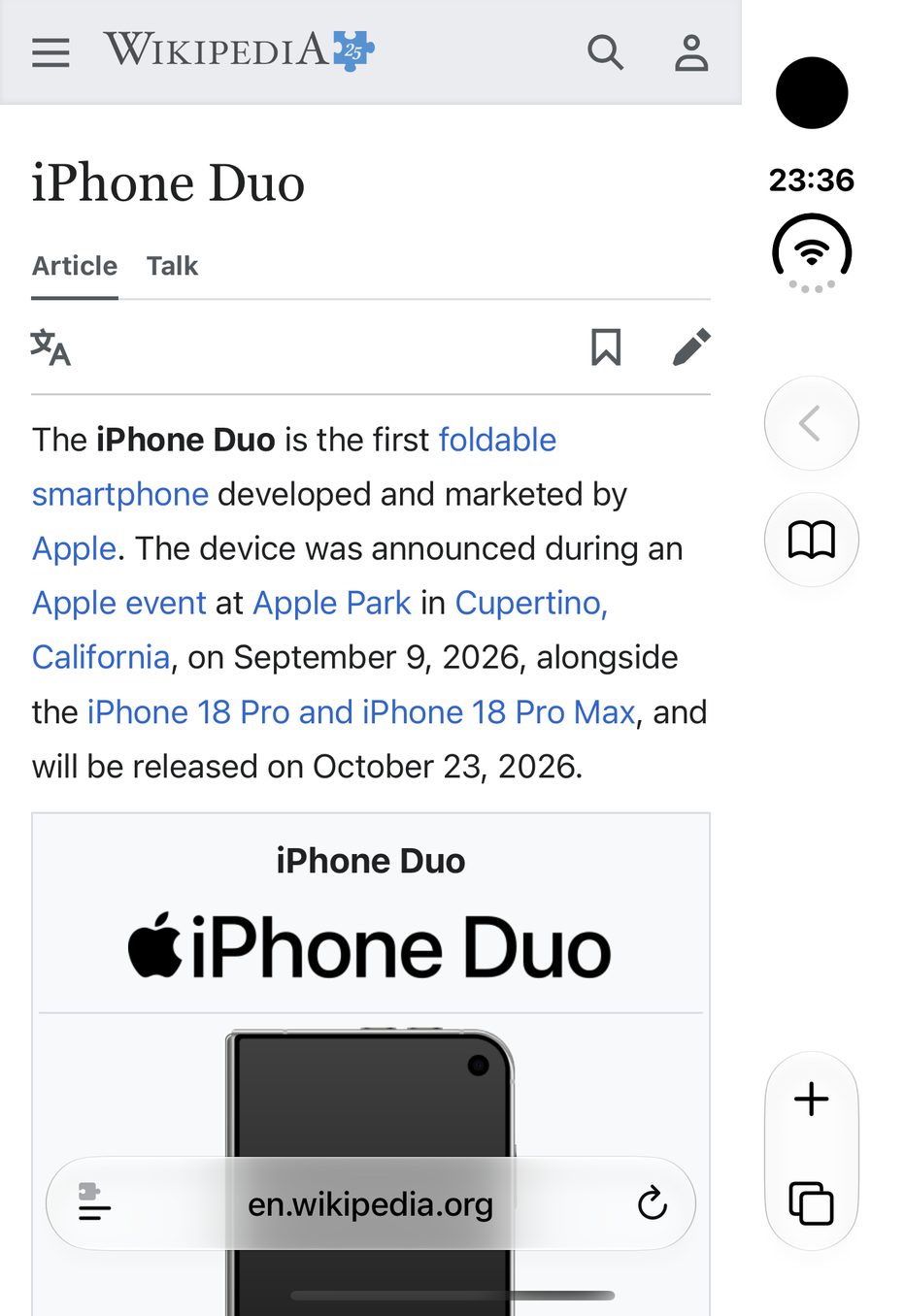
Same page, same spot, one tap apart. Watch the right-hand side: the info box opens out to the edge, and the words still stop before Safari’s buttons.

Wikipedia's iPhone Duo article in Safari on the Duo's outer display, without Widen: the text wraps early and a white band runs down beside Safari's buttons
Safari aloneEverything stops short; the strip by the buttons is blank.
The same article with Widen: lines run under Safari's see-through buttons to the edge of the display
With WidenThe box fills the width; no word sits behind a button.

Screenshots from the iPhone Duo simulator, Widen 0.1 (9). Article text from Wikipedia, CC BY-SA 4.0.

123
A closer look

Wider, without the side effects

Stretching a page is the easy part. Widen spends most of its effort on what happens next.

  1. Pictures reach the edge; words don’t. Photos, maps, tables and backgrounds fill the full width behind Safari’s see-through buttons. Text stops short of them, so nothing you’re reading ends up behind a button. (Prefer every line full width? One switch in the panel turns this off.)
  2. The camera keeps its corner. A site’s own top bar is kept just short of the column, so its menu and search buttons never end up behind the lens.
  3. Your thumb only scrolls up and down. A page wider than the window would normally wobble left and right; Widen holds it steady. Pinch-zoom is untouched.

It also follows the phone round in every orientation, including the one where Safari moves its buttons to the left. And when you unfold the Duo, Widen goes quiet: the big screen doesn’t need it.

Make it yours

One switch to start. Finer controls when you want them.

Always and Never, site by site
Leave Widen on and mark the odd site Never. Or leave it off and mark only your daily reads Always. Each site’s setting sticks until you change it.
Desktop-only sites, if you like
Sites built only for computers are skipped unless you ask. Turn it on for one, and Widen first shrinks the page to fit, then widens it like any other.
Upright, sideways, or both
Two switches choose whether Widen works with the phone held upright, turned on its side, or both.
Clear the clutter
Small screens and pop-ups don’t mix. An optional setting hides the cookie notices and “join our mailing list” boxes that pin themselves over the page.
Shortcuts and Siri
Two Shortcuts actions, Set Widen and Toggle Widen, so an automation or the Action button can switch it for you.
Start

From download to wider pages

  1. Open the app

    Tap Open Safari Settings. iOS only lets you, not apps, switch on a Safari extension, so this takes you to the right switch.

  2. Allow it

    Turn on Allow Extension and set All Websites to Allow.

  3. Pick Widen

    In folded Safari, tap the menu button in the address bar, choose Widen, and tap the wide picture.

Launch price

7 days free.
Then US$3.99 for lifetime access.

The week begins the first time you pick Widen, so there’s no rush to try it. Keep it by buying in the app; it’s then yours on any iPhone with your Apple Account. Outside the US, the App Store sets the price in your currency.

Questions

Things people ask

Isn’t this what Request Desktop Website does?

No. A desktop page is shrunk to fit, so the text gets tiny. Widen keeps the phone layout at its normal size and simply gives it more room.

Which phones and browsers?

The iPhone Duo, in Safari, when it’s folded. That’s the only screen where Safari puts its buttons in a side column. Other iOS browsers can’t run Safari extensions.

Will it break websites?

It leaves alone any page that fixes its own width or comes only in a desktop layout. If a site still looks odd, set it to Never in Widen’s panel and let us know which one.

Why does Widen need access to all websites?

It has to adjust each page’s layout as it loads. It doesn’t keep or send anything: no analytics, and no network requests of its own. The privacy policy is short.

And when the free week ends?

Pages go back to how Safari lays them out, and your settings wait for you. Buy it whenever you like and everything picks up where it was.

Something looks wrong.

Use the support page. The site’s address and which way up the phone was are the two most useful details.